
Student Profile Photo/Avatar
Ask parents or students to upload a child’s photo in your form, then transfer it to yur MIS.
Section titled “Ask parents or students to upload a child’s photo in your form, then transfer it to yur MIS.”Student photo - this can be found in the student’s basic details, you can check on it by going to Settings > Application form > Student’s basic details and look for the avatar question.
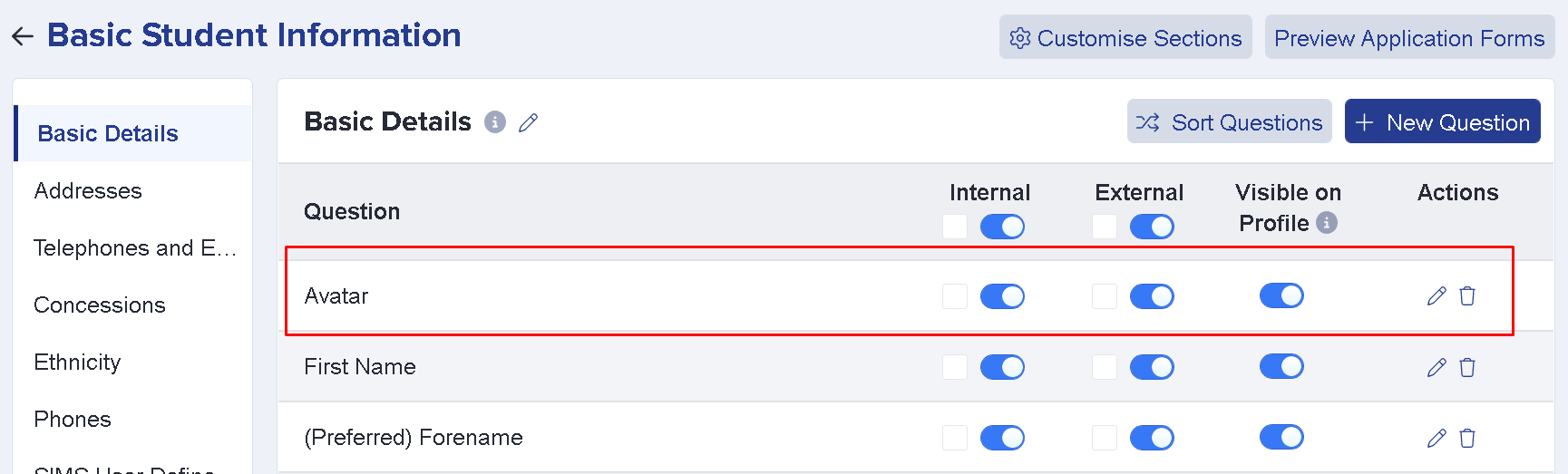
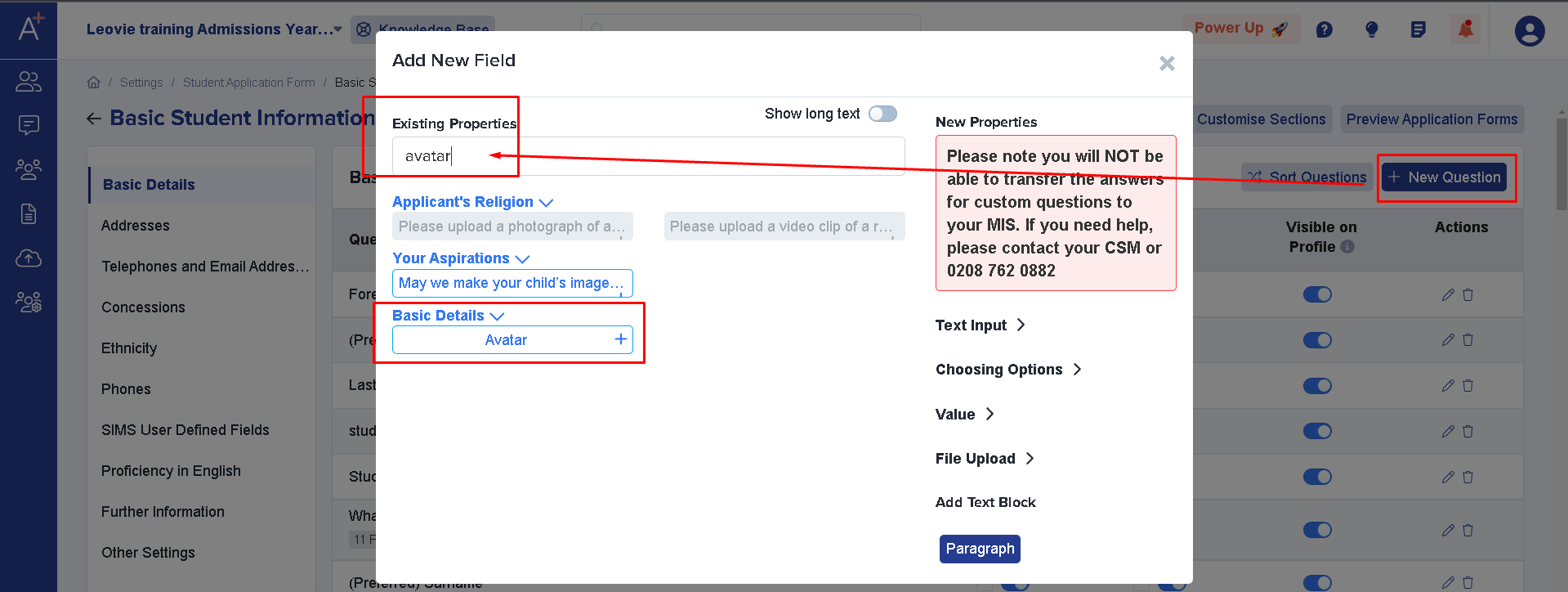
If the question is not showing you may add it by clicking on +New Question > Then type Avatar on existing properties > Click Avatar under basic details. This way it’ll be added to the list of questions on student basic details.
You may edit the wording for that question by checking this article.