
How to Safely Update Your Email Address in the Password & Security Area
📌 Important: Please read this guide carefully before updating your email address. Entering an incorrect email address can result in unauthorised access to your staff account.
🧭 Where to Update Your Email Address
Section titled “🧭 Where to Update Your Email Address”You can update your account’s email address from within the Password & Security area of your user profile.
1. Navigate to Password & Security
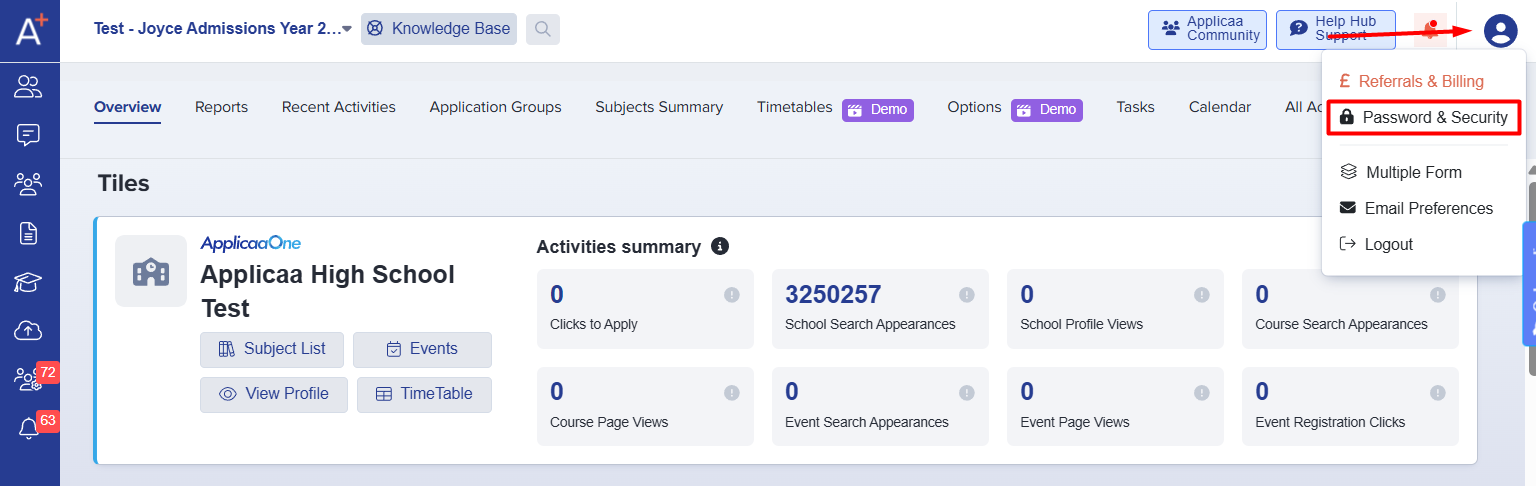
Section titled “1. Navigate to Password & Security”- Go to your profile by clicking on your name or avatar in the top-right corner.
- Select Password & Security from the dropdown or left-hand menu.
2. Click the Edit Button Next to Your Email
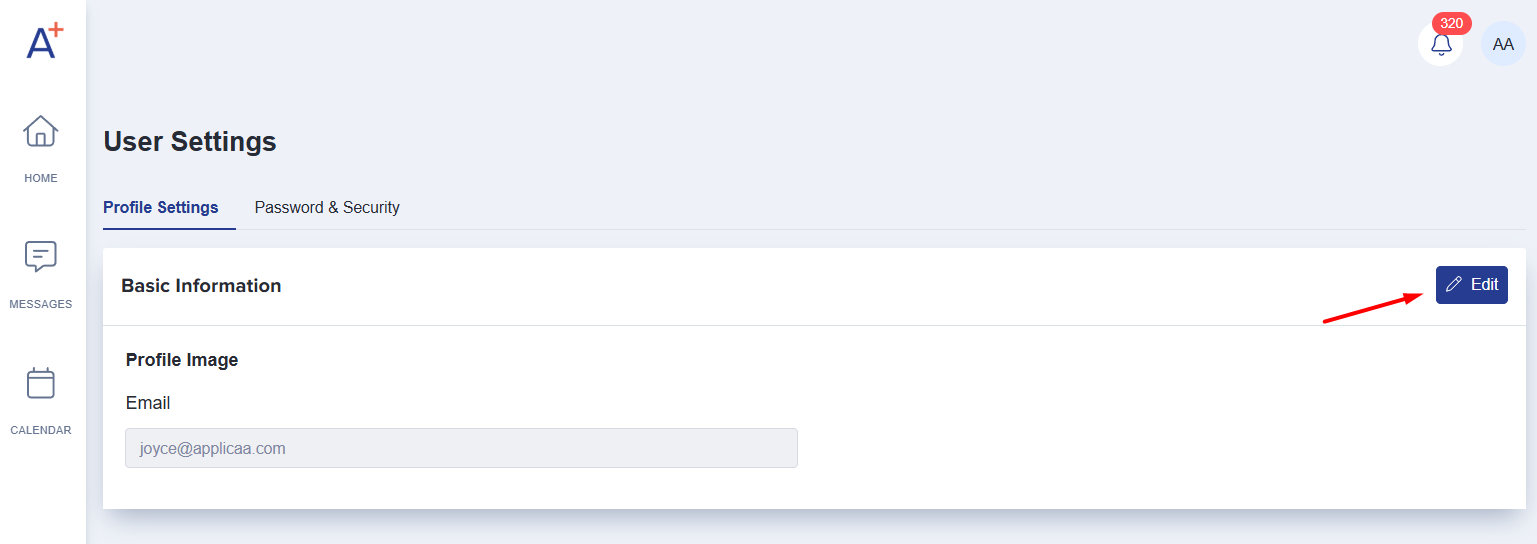
Section titled “2. Click the Edit Button Next to Your Email”- Click the Edit button to start the update process.
3. Enter Your New Email Address
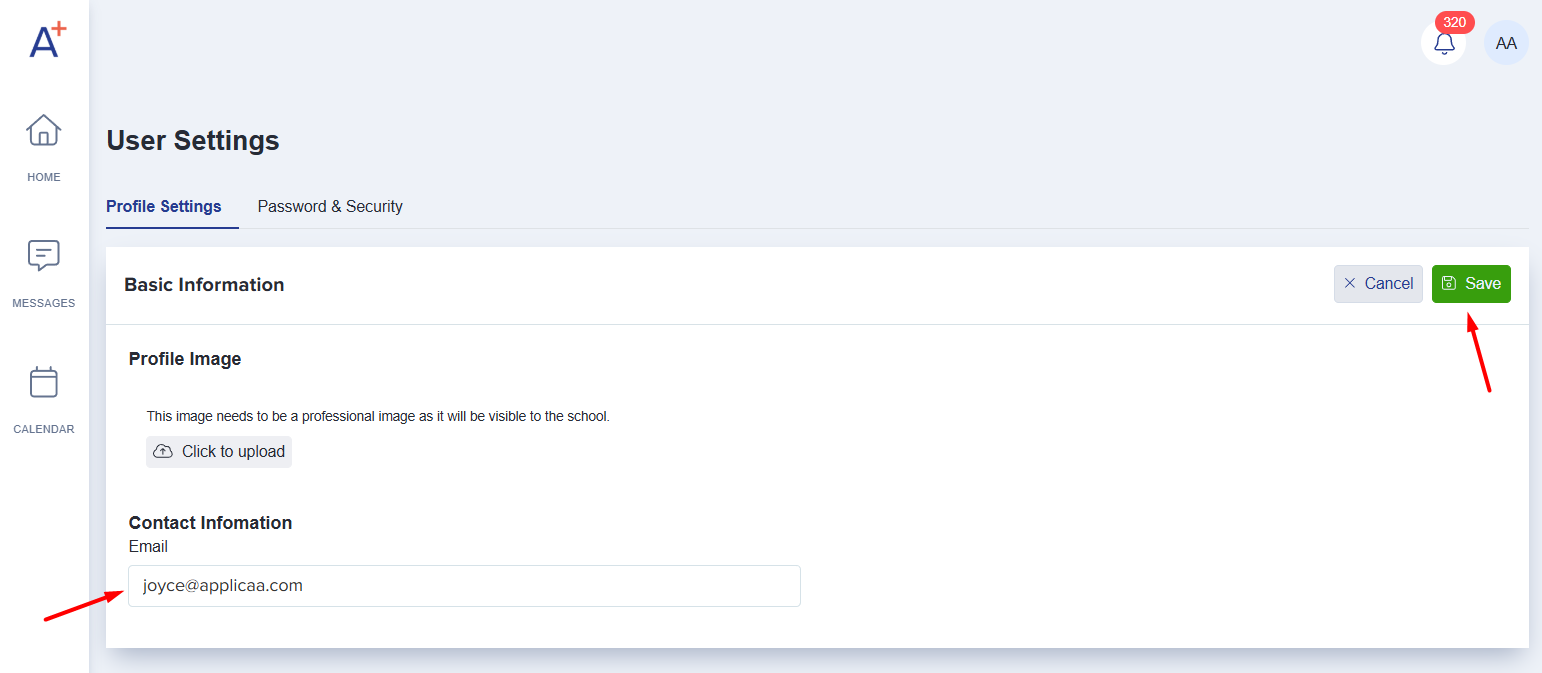
Section titled “3. Enter Your New Email Address”- Type the new email address you want to associate with your account.
- Click Save.
4. Check the New Email for a Verification Link
Section titled “4. Check the New Email for a Verification Link”- A verification email will be sent to the new email address.
- Click on the link in the email to confirm the change.
✅ Once the link is clicked, the system will automatically log you into your account using the new email address.
⚠️ Important Security Reminder
Section titled “⚠️ Important Security Reminder”Please be extremely cautious when updating your email address - this is not the area to update a parent’s email address or student’s email address.
- Only enter your own email address - one that you personally own and intend to use.
- Do not enter a parent’s, student’s, or colleague’s email address by mistake.
- Anyone with access to the new email will be able to:
- Receive the verification link
- Click on it
- Gain immediate access to your staff account
📌 This could lead to serious data privacy violations and unauthorised access to sensitive information.
🆘 Need Help?
Section titled “🆘 Need Help?”If you entered the wrong email address by mistake or suspect unauthorised access:
- Contact your system administrator immediately
- Or reach out to our Support Team via Live Chat or the helpline.
Was this article helpful?
Thanks for your feedback.