
How to manage unsubscriptions
This guide will cover how you can see and manage students or parents who have unsubscribed to your emails.
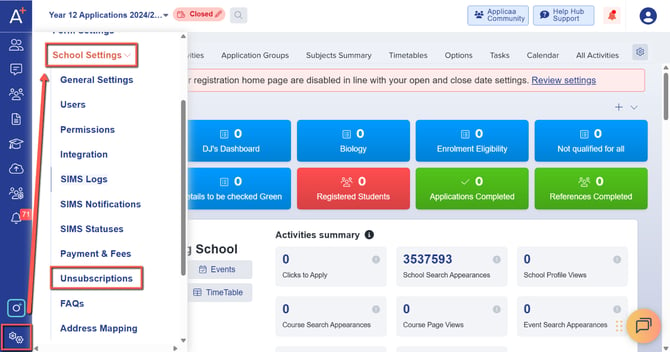
To see the list of parents or students who have unsubscribed to your emails, please go to Settings > School Settings > Unsubscriptions.
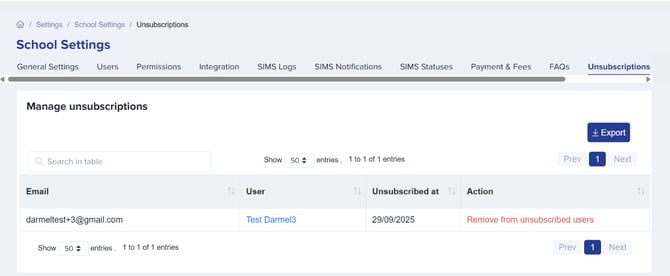
In here, you will see a list of the students and parents that have opted out of receiving emails. You can also have them opt in accordingly, by clicking on the ‘remove from unsubscribed users’ option.
Was this article helpful?
Thanks for your feedback.