
How to Download a Blank Copy of Application Form
This guide will cover how you can download a blank of your application form or enrolment form into a PDF copy
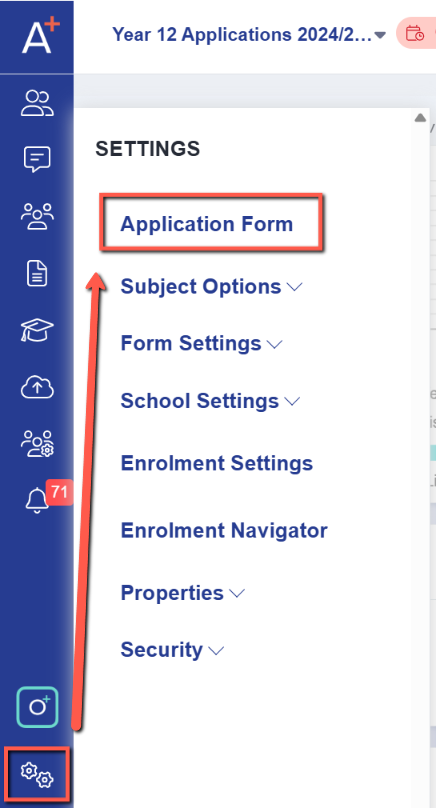
You can download a blank copy of your form by going into Settings > Application Form.
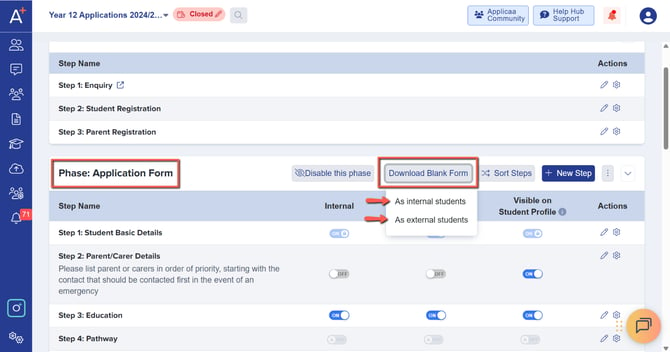
In the Application Form page please look for the phase that you would like to download a blank copy of, then please click on ‘Download Blank Form’ and select between Internals or Externals.
A pop up should appear notifying you that your blank form is ready to download.

Was this article helpful?
Thanks for your feedback.