
How to Install the Admissions+ SIMS App
This article is a step by step guide to walk you through how you can install the Admissions+ SIMS APP
Section titled “This article is a step by step guide to walk you through how you can install the Admissions+ SIMS APP”Applies to: Data Managers, IT Managers
1. Visit the Admissions+ SIMS APP Landing Page and click “download App”.
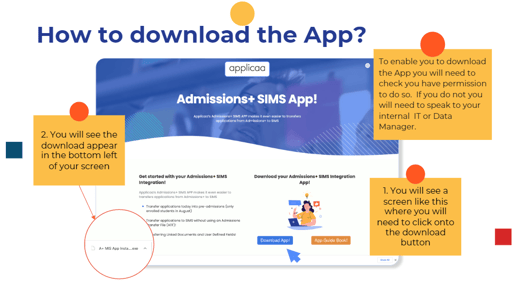
2. How to download the App?
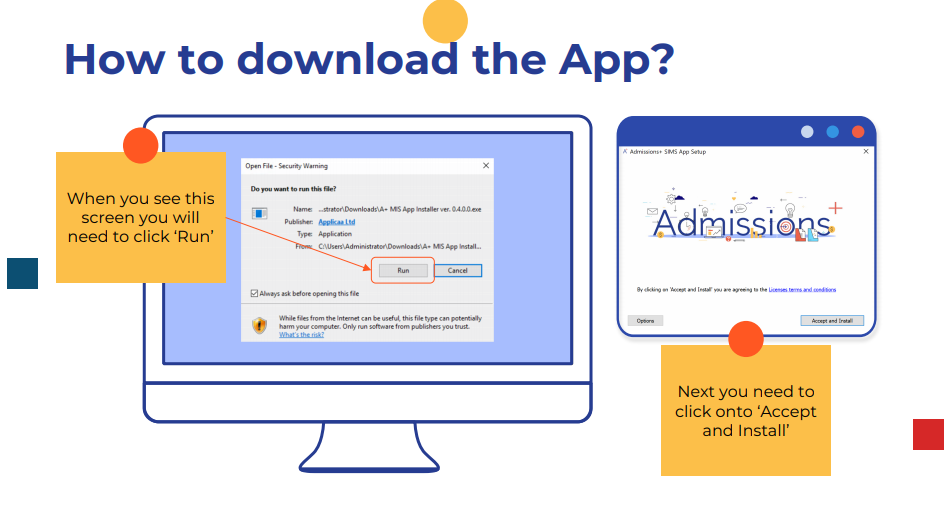
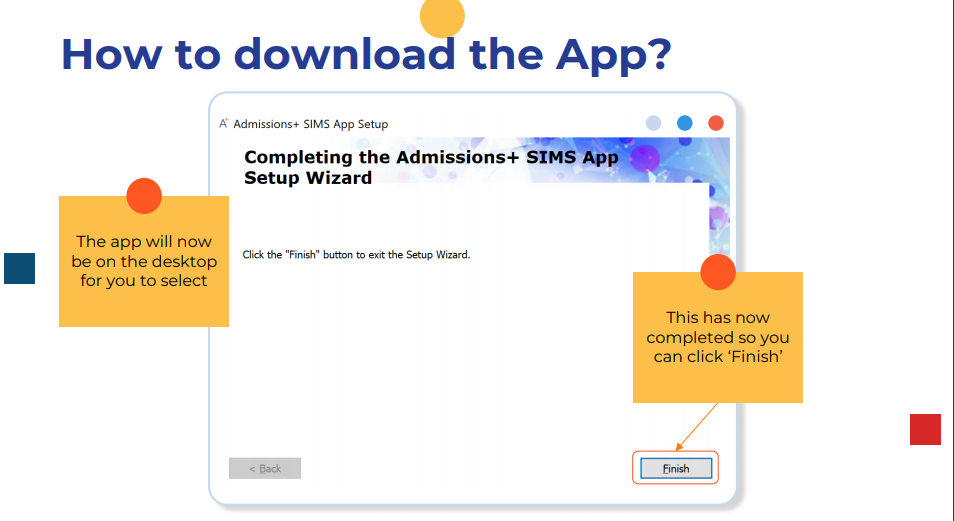
For more information about how to run the APP please visit this knowledge base article